

Environments
Environments allow you to develop and test your DX Cloud project in separate places so that your project is thoroughly tested and production-ready without impacting the proper production environment itself.
Typically, you have three environments and by default, we offer the following.
Environment flow
| Environment | Description |
|---|---|
dev | The dev, or development, environment is typically used for active development where developers build out the project. This is typically the starting environment for your project. |
uat | The uat, or User Acceptance Testing, environment is often used to validate and test the software developed by the developers in the dev environment. Typically, the environment flow moves from dev → uat → prod. |
prod | The prod, or production, environment is the actual live environment and is implemented after uat. |
Author and Public in environments
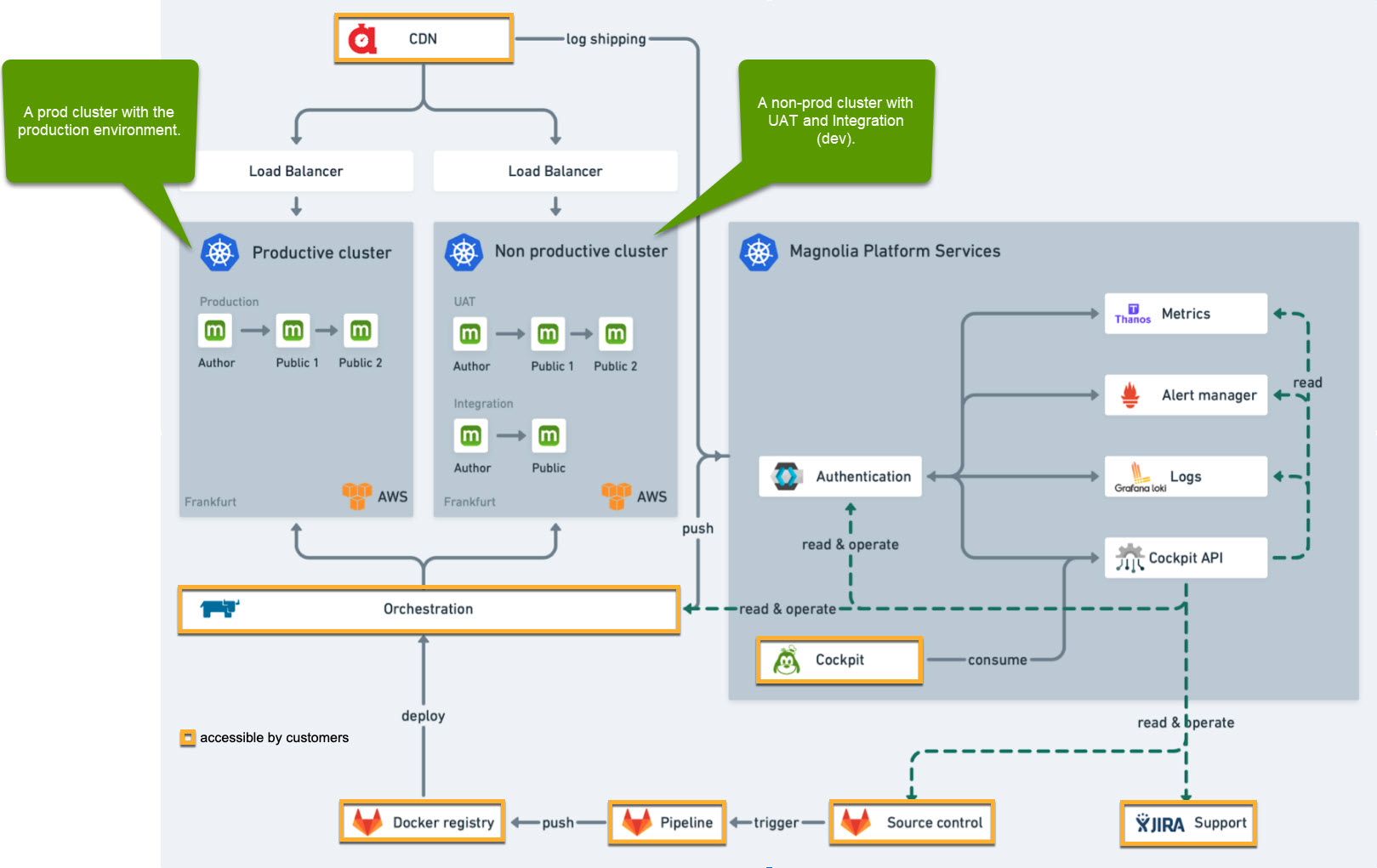
We recommend that you have both Public and Author instances within your different environments as this allows proper testing of the entire workflow through multiple environments. Check out the visual below for more details.
Feature environments
If your DX Cloud project requires that you have different environments than the default 3 environments (dev, uat, prod), you can configure your .gitlab-ci.yml file to have whatever environments you like.
A typical use-case for this would be temporary feature environments where you work on a new feature or improvement that you want to see fully before it goes into uat and onto prod. You can do this by ensuring your .gitlab-ci.yml file is configured to reflect the name of those environments.
For the .gitlab-ci.yml reference used with custom environments, see GitLab CI/CD and Webapp deployment.