

Web Application Firewall (WAF)
Web Application Firewalls, or WAFs, protect web applications from common malicious attacks such as cross-site-scripting (XSS) and SQL injections. Essentially, they act as a type of wall or shield between your web application and the internet. If you have your own CDN for your project, you’ll likely have your own WAF.
If you choose to go with the default CDN for DX Cloud, you’ll be protected with the Fastly WAF.
The Fastly WAF inspects the web traffic at the HTTP application layer by looking at all HTTP and HTTPS requests (both header and body included). This can be configured specifically for your deployment.
For more details, check out Fastly’s WAF page and the Fastly system signals reference.
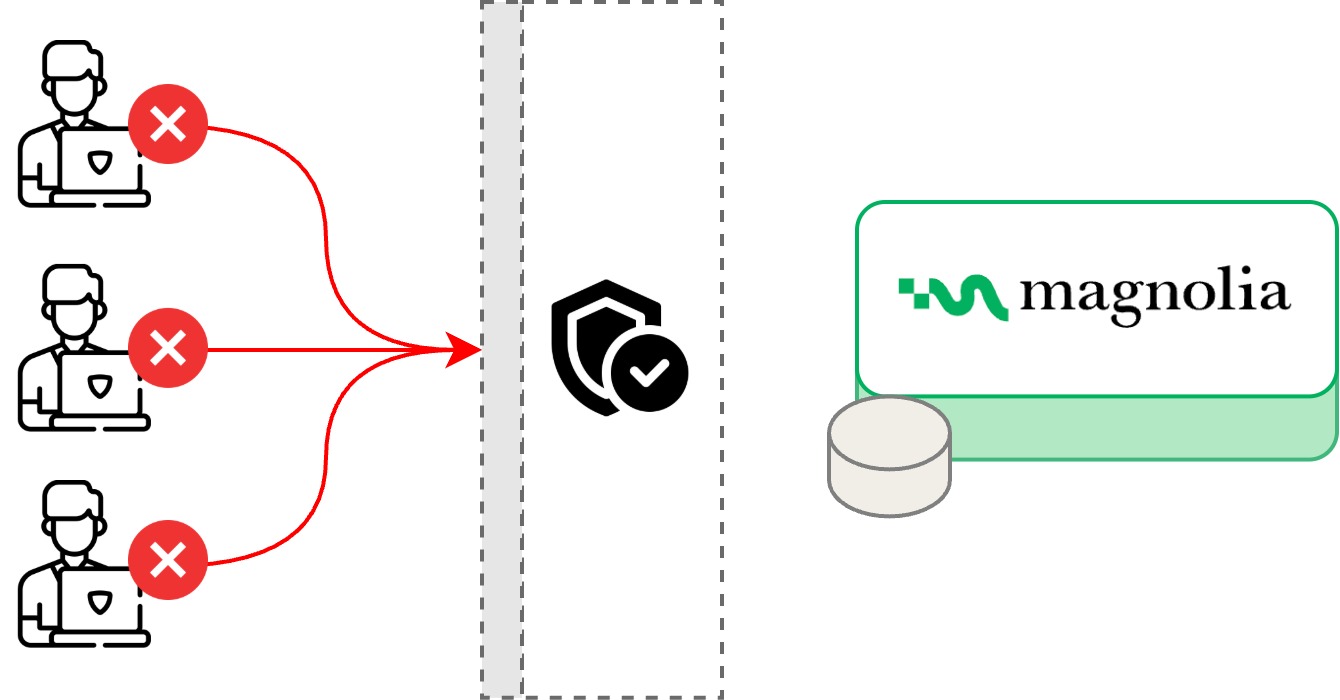
Default settings
By default, your DX Cloud deployment has WAF activated on your prod cluster.
Protection is applied in layers: Fastly-managed rule packs, Magnolia platform default rules, and site alerts that rate-limit repeat offenders by IP.
Understanding what each layer does helps you interpret WAF logs, distinguish real attacks from false positives, and plan pen tests or load tests without surprise blocks.
Fastly-managed rule packs
These packs are enabled on every default DX Cloud WAF deployment. They complement, not replace, the platform default rules and site alerts on this page.
| Rule pack | Notes |
|---|---|
owasp | Contains approximately 200 rules to protect against the OWASP Top 10 vectors such as cross-site-scripting attacks and SQL injections. Many of these are scoring rules: a match raises an anomaly score until a threshold rule blocks the request. |
application-multi | Contains dozens of rules that detect application-specific threats such as CVEs as well as request anomalies such as missing user agents, XFF mismatch, and similar patterns. |
If the WAF detects attacks from these packs, the request is typically blocked automatically. Sustained attack volume may also trigger Magnolia security review; see What happens if the WAF detects attacks?.
The Fastly WAF filters requests through a set of security rules that match patterns known to be associated with malicious traffic. There are three types of rules:
- Scoring rules: Rules which, when matched, do not immediately flag the request, but will contribute a score to a category and an overall total. Rules based on the OWASP core ruleset are scoring rules, as are some Fastly rules.
- Strict rules: Strict rules are those which, when matched, immediately flag a request. Most Fastly rules and all Trustwave rules are strict.
- Threshold rules: Rules which flag a request if a scoring category or the total anomaly score exceeds a configured threshold. Threshold rules work in conjunction with scoring rules, and do not match on characteristics of the request, but instead match on the current value of an anomaly score.
— Fastly docs, WAF filters
IP reputation (NLX)
Fastly Next-Gen WAF also uses NLX, an IP reputation engine that flags malicious addresses. Those flags feed additional block and rate-limit logic. Magnolia does not publish the full signal catalog here; see Fastly’s system signals documentation for definitions of every signal name you may see in logs.
Your project may receive additional rules or exclusions on top of these defaults during onboarding or tuning. The Platform default rules and Site alerts (IP rate limiting) sections describe what every customer gets out of the box.
Platform default rules
Platform default rules are maintained by Magnolia and applied on top of the owasp and application-multi packs. They target paths and attack signals that show up often in real incidents. Signal names in the tables match the WAF tag values you can filter in the Cockpit.
Abnormal path
Requests tagged with the Abnormal path signal are blocked when the original request path differs from the normalized path (for example, /foo/./bar normalizes to /foo/bar, which can indicate path confusion or evasion attempts).
The following path prefixes are excluded from this rule so normal DAM and imaging traffic is not affected:
/.imaging//dam/
Bad path
Requests to the following paths are blocked:
/cgi-bin
Known attack
Requests that trigger any of the following signals are blocked immediately:
| Signal | Summary |
|---|---|
| Response Splitting | CRLF characters in input that could inject headers into the HTTP response. |
| SQLIi | SQL injection: arbitrary database queries sent through the application. |
| Traversal | Directory traversal: attempts to reach privileged paths outside the web root. |
| Backdoor | Probes for common backdoor filenames (for example admin.php, r57.php). |
| CMDEXE | Operating-system command execution in the request. |
| Private File | Access to sensitive files such as .htaccess or configuration files. |
| XSS | Cross-site scripting: malicious JavaScript aimed at hijacking sessions. |
| Out-of-Band Domain | Domains often used in penetration testing to detect outbound network access. |
| Null Byte | Null bytes in a request, usually malformed and potentially malicious. |
For full definitions, see Fastly system signals.
Blocked file extensions
Requests whose paths match any of the following extensions or file names are blocked:
.php,.php7,.php8.asp,.aspx.dll,.cfm,.cgi.sql,.mdb.xgi,.jar.exepasswd,win.ini,wlwmanifest.xml
This rule reduces noise from automated scans hunting for stacks you do not run on DX Cloud.
A Java or headless Magnolia site may still see blocks for .php probes.
That is expected.
Known attacker
A request is blocked when it matches at least one signal from each group:
Group 1
Group 1: reputation or anonymity (any one)
- Malicious IP: IP addresses reported to the SANS Internet Storm Center for malicious activity.
- SigSci IP: IP addresses flagged by Fastly’s decision engine after malicious activity elsewhere in the WAF network.
- Tor Traffic: traffic from the Tor anonymity network.
Group 2
Group 2: attack behavior (any one)
- Attack Tooling
- Backdoor
- CMDEXE
- SQLIi
- Traversal
- XSS
- Abnormal path
Site alerts (IP rate limiting)
Site alerts do not inspect request content directly. They watch how often an IP triggers certain attack signals within a time window. When a threshold is exceeded, the IP is treated as malicious and blocked for 24 hours.
Signals counted toward these limits include:
- Attack Tooling
- Backdoor
- CMDEXE
- SQLIi
- Traversal
- XSS
Site alert thresholds
| Window | Request limit | Signals | Block duration |
|---|---|---|---|
| 1 minute | 10 | Attack Tooling, Backdoor, CMDEXE, SQLIi, Traversal, XSS | 24 hours |
| 10 minutes | 50 | Attack Tooling, Backdoor, CMDEXE, SQLIi, Traversal, XSS | 24 hours |
| 60 minutes | 200 | Attack Tooling, Backdoor, CMDEXE, SQLIi, Traversal, XSS | 24 hours |
Tor traffic site alert
| Window | Request limit | Signals | Block duration |
|---|---|---|---|
| 1 minute | 10 | Tor Traffic | 24 hours |
Default rules examples
Use this table to see how default rules affect common situations, whether you should contact support, and how production traffic is screened beyond generic OWASP patterns.
| Situation | What you may see | What to do |
|---|---|---|
A scanner probes for shell.php or .env on your site | Blocked under platform default rules (blocked file extensions and/or Backdoor signal); tags visible in WAF logs | Usually no action; expected. Investigate only if the path is legitimate for your app. |
| A pen test or CI job sends many injection-like requests from one IP | Individual requests blocked; after repeated signals, site alerts may block the IP for 24 hours | Coordinate timing with your team; contact support if you need a temporary exclusion. |
DAM or imaging URLs under /dam/ or /.imaging/ | Generally not blocked by the Abnormal path rule (these paths are excluded) | If other rules still block, check the WAF tag in logs and open a support request with the request ID. |
An integration calls a legacy path such as /cgi-bin/... | Blocked by the Bad path platform rule | Change the client URL or ask support about a rule exclusion if the path is required. |
WAF configuration for your project
DX Cloud typically provides an aggressive set of security rules out of the box. We can disable rules or add rule exclusions to handle false positives to fit your specific project.
If you see unexpected blocks:
- Open WAF request logs in the Cockpit and note the WAF tag and request path.
- Compare the tag to the platform default rules and site alerts on this page, and to the Fastly rule packs (
owasp,application-multi). - If the traffic is legitimate, contact support with timestamps, URLs, and tags so we can tune exclusions.