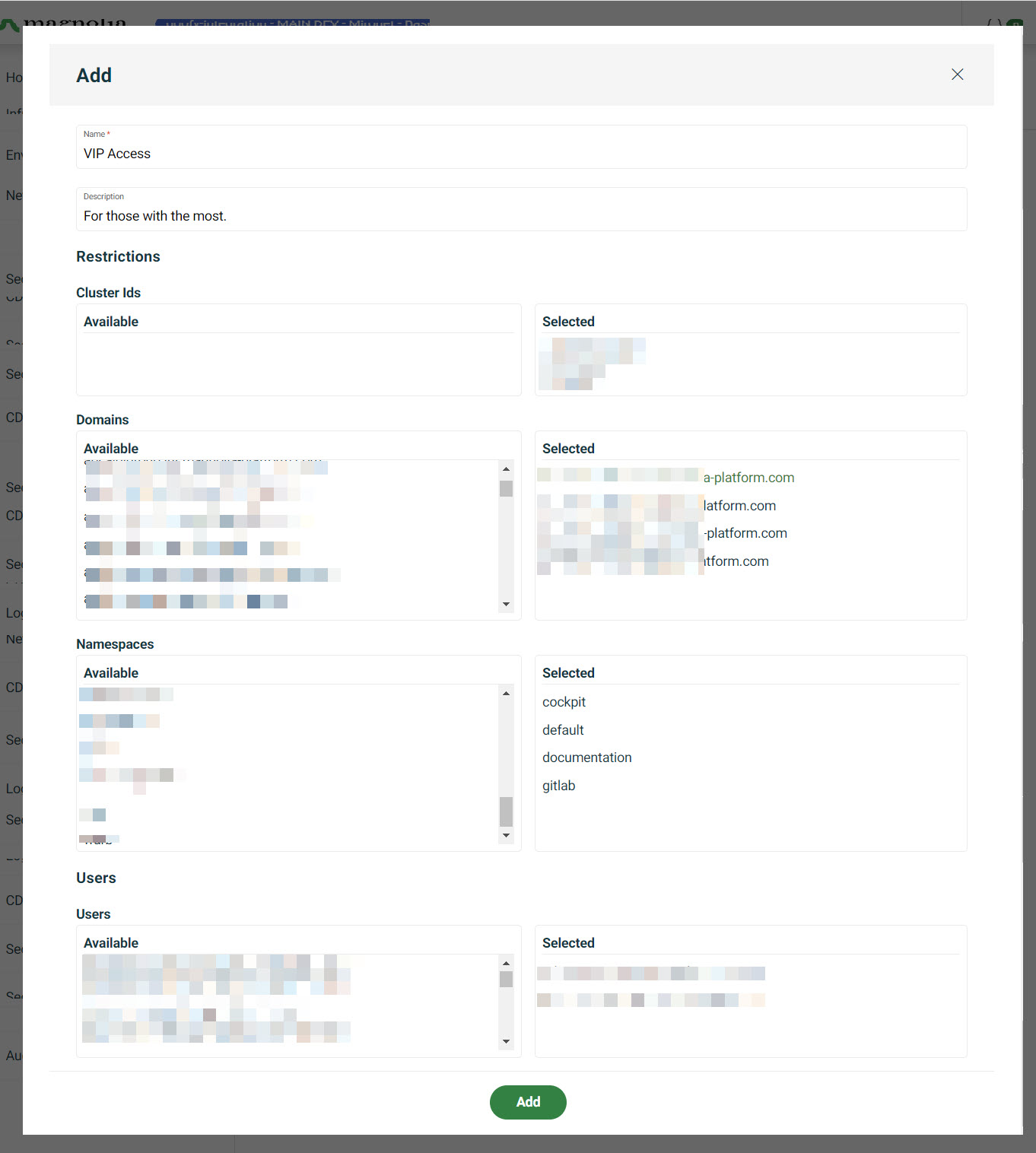
Add Organisation
You can create an Organisation so that you can group access to certain parts of your DX Cloud project based on a business unit or organisation. You can define access to clusters, domains, and namespaces this way and explicitly choose the users that are part of the unit.
-
Go to Admin > Organisations.
-
Click Add.
-
Give the organisation a meaningful name.
-
Give the organisation a meaningful description.
-
Choose the Cluster Ids for which you want to grant access.
-
Choose the Domains for which you want to grant access.
-
Choose the Namespaces for which you want to grant access.
-
Click the users that you want to add to the organisation.
-
Click Add.