

Geofencing
DX Cloud geofencing lets you control access to your site content based on a user’s geographic location. Define country boundaries around your site’s access to comply with regional regulations, enforce licensing restrictions, or tailor content for geographic targeting.
Select desired cluster
Select your desired cluster from the dropdown menu at the top of the Cockpit.

Apply geofencing
View from the Cockpit
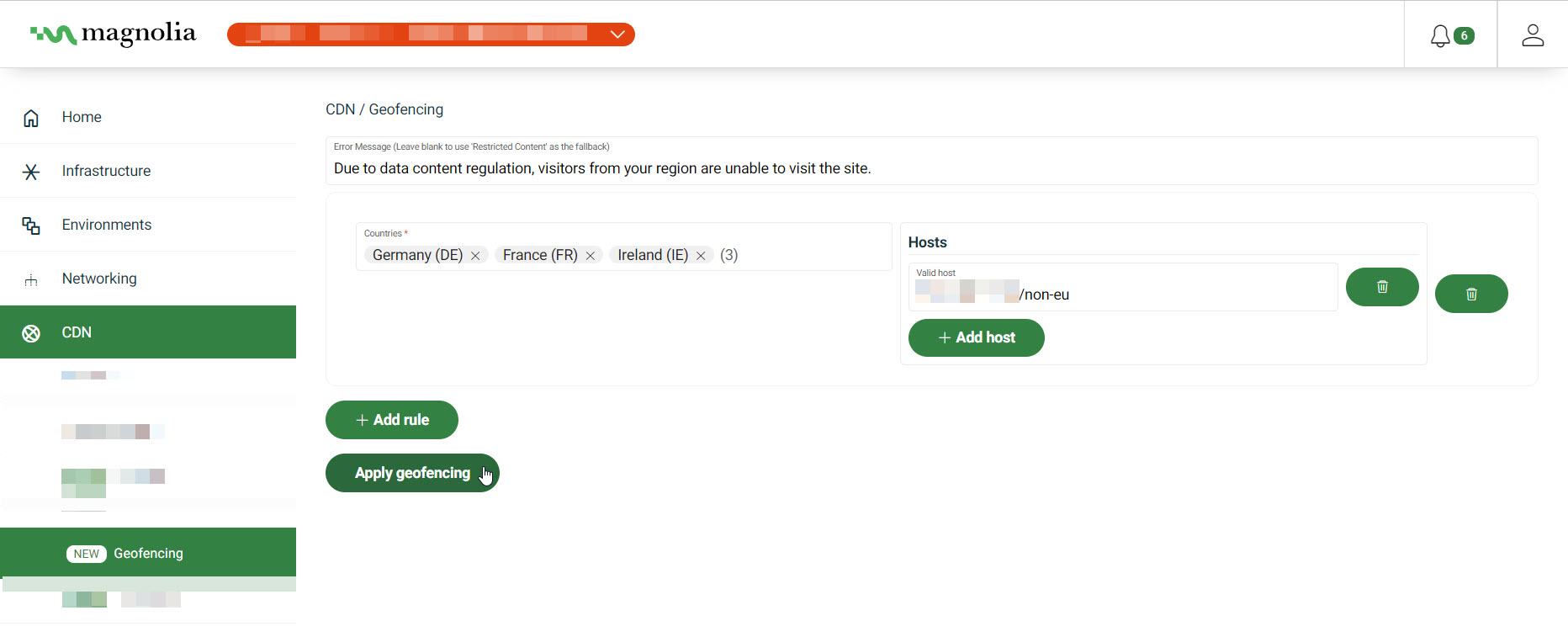
- Go to CDN > Geofencing.
- Optionally add a custom error message.
If left blank, the default message is
Restricted Content. - Click Add rule to add a new geofencing rule.
- Select the countries from the menu.
- Add the host(s) you want to restrict in the Hosts field.
- Click Apply geofencing.