

Keycloak admin event logs
DX Cloud stores Keycloak admin event logs. These show administrative actions in Keycloak, such as user management, client configuration, realm settings, and role assignments.
Generally, logs are kept for 30 days. Your deployment may use a different retention period.
Select desired cluster
Select your desired cluster from the dropdown menu at the top of the Cockpit.

View admin events
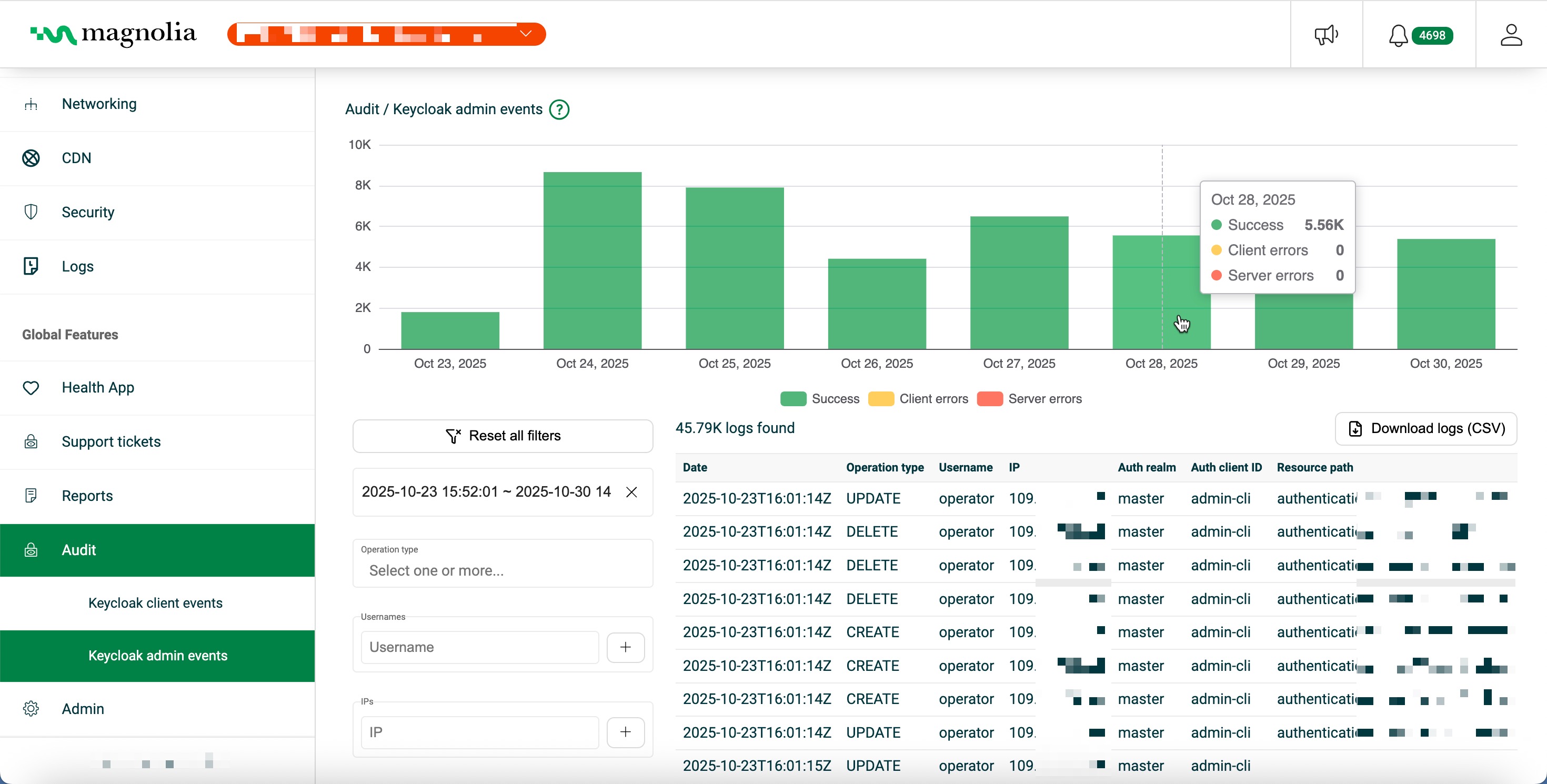
From Audit > Keycloak admin events:
- Select your desired cluster.
- Use the chart (histogram) to see Success (green), Client errors (yellow), and Server errors (red).
- In Filters, you can set:
- Date range: calendar picker or a preset (for example Last 15 minutes)
- Operation type: one or more types (for example
CREATE,UPDATE,DELETE,ACTION) - Usernames: for example
admin,service-account-cockpit - IPs: for example
109.71.102.68 - Auth realms: for example
magnolia,master - Auth client IDs: for example
magnolia-cockpit,admin-cli - Resource paths: for example
users/abc123,clients/xyz789 - Resource types: for example
USER,CLIENT,REALM,GROUP,ROLE
Details table
Click Download logs (CSV) to export the rows that match your current filters.
Click a row to open a detailed view of that log.
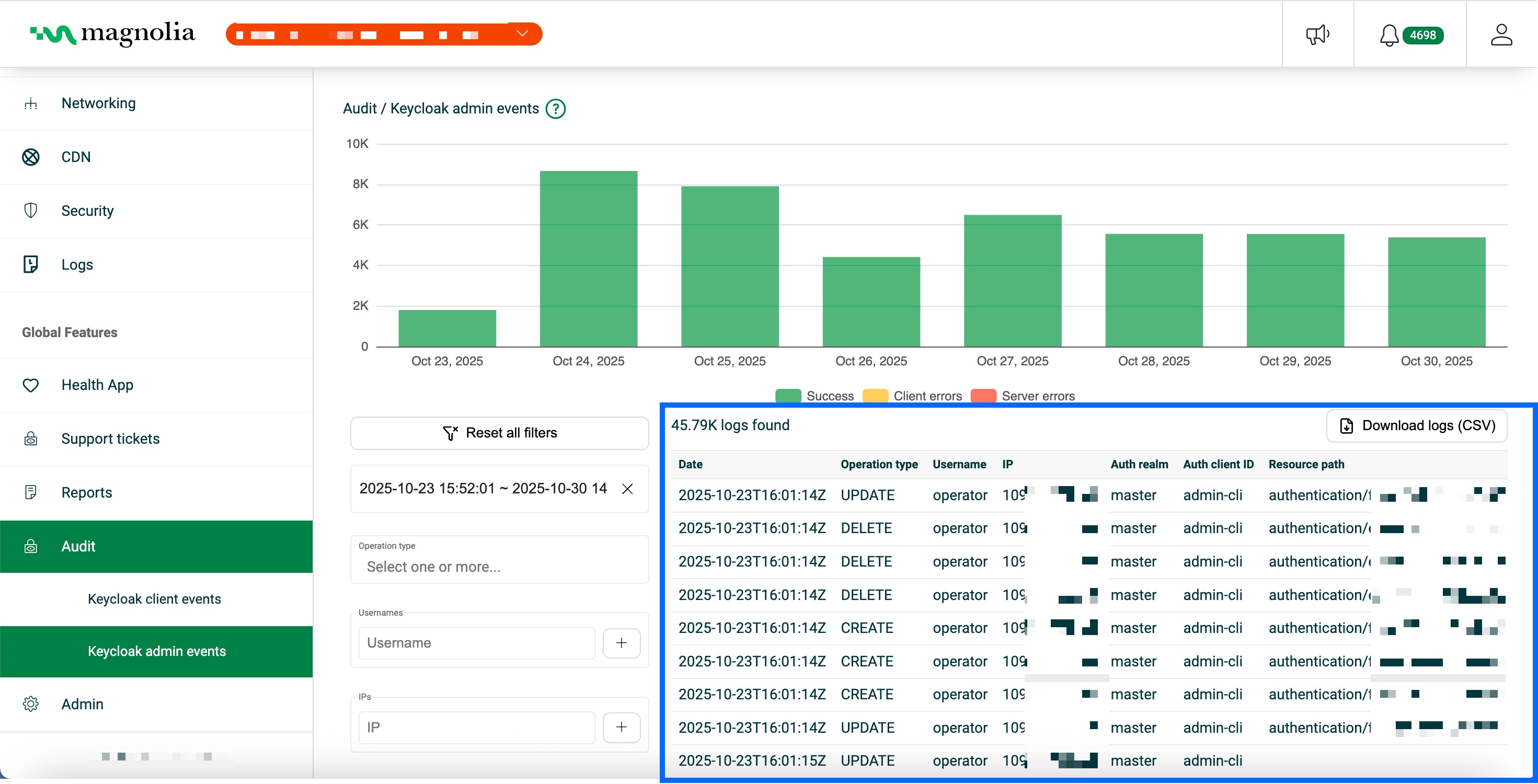
| Column | Description | Example |
|---|---|---|
| Date | Timestamp when the admin event occurred (ISO 8601, UTC) | 2025-10-30T13:30:48Z |
| Operation type | Administrative operation (CREATE, UPDATE, DELETE, ACTION, …) | UPDATE |
| Username | Username or service account that performed the operation | admin |
| IP | Source IP address | 109.71.102.68 |
| Auth realm | Keycloak realm where the administrator authenticated | magnolia |
| Auth client ID | Client ID used for authentication | magnolia-cockpit |
| Resource path | Path of the affected resource | users/a1b2c3d4-e5f6-7890-abcd-ef1234567890 |
| Resource type | Keycloak resource type (USER, CLIENT, REALM, GROUP, ROLE, …) | USER |
| Details JSON | Extra metadata (change representation, errors, and so on) | {"id":"…","username":"john.doe",…} |