

Support tickets
You can view an overview of support tickets related to your DX Cloud project directly in the Cockpit. This centralized view displays ticket ID, title, status, reporter, type, and creation date for all ongoing support requests. Only tickets explicitly shared with your Organization are visible to you in the Cockpit.
Use the status filters and table columns to quickly track progress and identify tickets that need your attention.
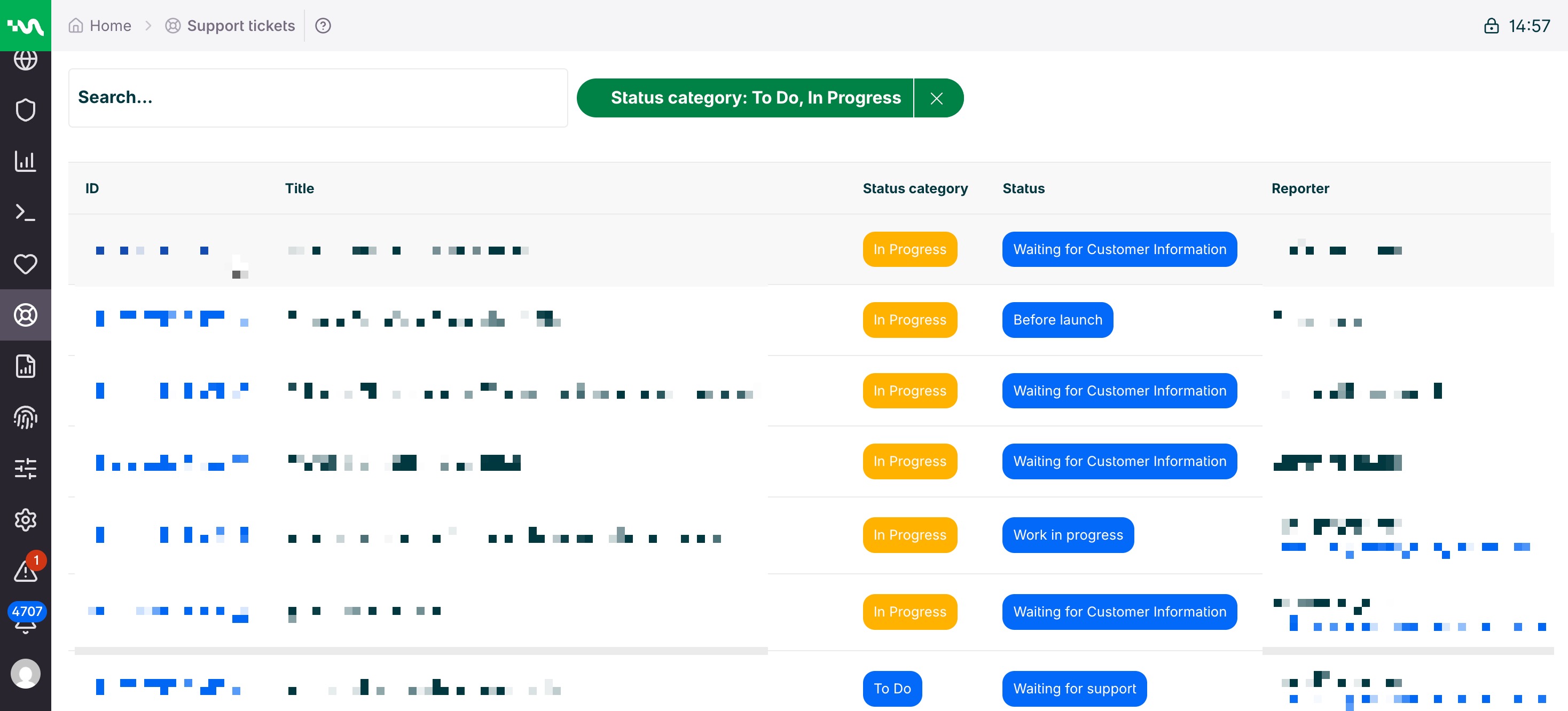
View support tickets
To view support tickets related to your DX Cloud project:
- Go to Global Features > Support tickets in the Cockpit.
- Filter by the desired status of the support tickets.
- Click on the ID of a support ticket to view its details.
Key terms
Status filters
You can view an overview of support tickets related to your DX Cloud project. Select one or more of the following status filters to narrow down the list of tickets:
- To do
- In progress
- Done
You can also search for specific tickets using the search bar.
ID
The ID is a unique identifier for each support ticket. This is typically HELPDESK- followed by a number, such as HELPDESK-1234.
Title
The title information pulled from the support ticket.
Status category
The larger status category of the support ticket. This includes To do, In progress, and Done.
Status
The current status of the support ticket.
Reporter
The person who reported the support ticket.
Type
The type of support ticket.
Created
The date and time when the support ticket was created. Format is MONTH DAY, YEAR, TIME. For example, Aug 1, 2026, 12:42 PM.