

Access control
With Access control in DX Cloud, you can configure rules that prohibit access to certain paths and extensions. This prevents unintended visits to pages that should be internal or files that should be kept for certain groups or individuals.
Select desired cluster
Select your desired cluster from the dropdown menu at the top of the Cockpit.

Apply CDN restrictions
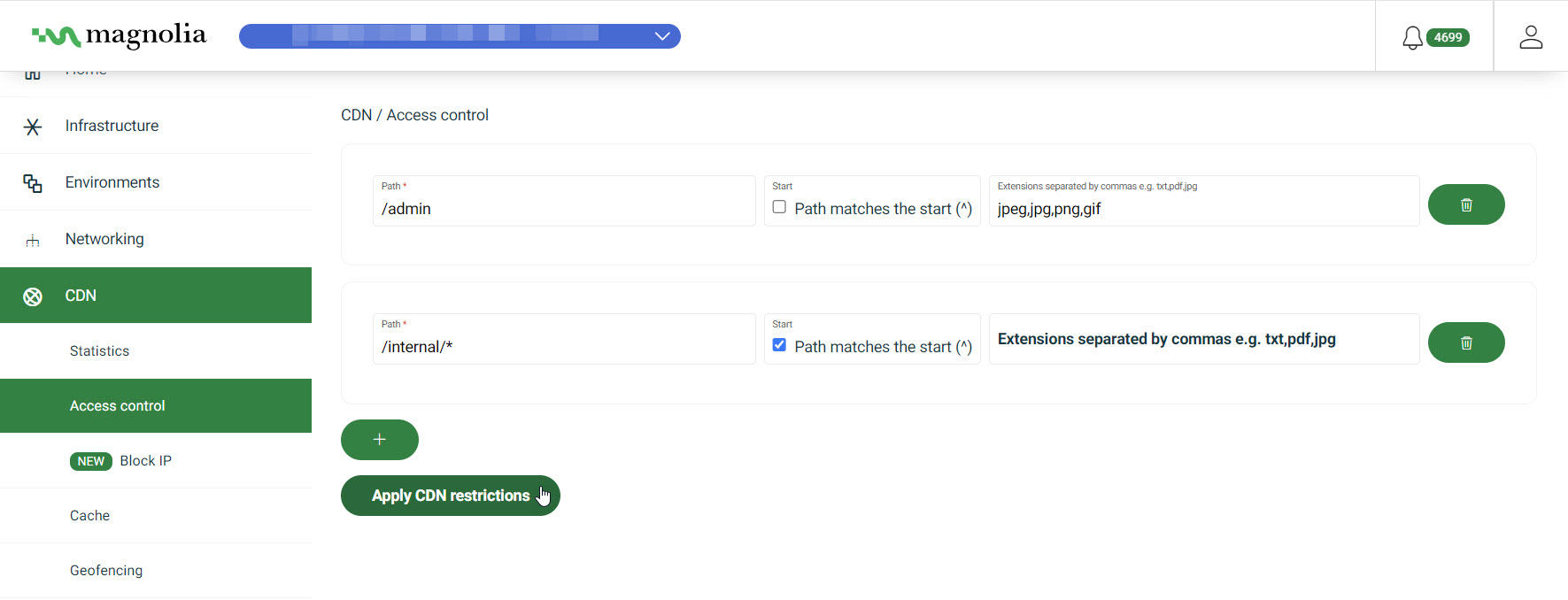
View from the Cockpit
-
Go to CDN > Access control.
-
Click + to create a new restriction.
-
Enter the Path that you want to protect.
Example:
/internal/*This protects all areas of the site under
/internal. -
If desired, enable Path matches the start (^). This ensures that the match occurs only if the URL path starts with the specified pattern.
-
If desired, add extensions that you explicitly want to protect under this path. Separate extensions with commas.
Example:
pdf,txt,jpg,png -
Click Apply CDN restrictions.