

Infrastructure distribution
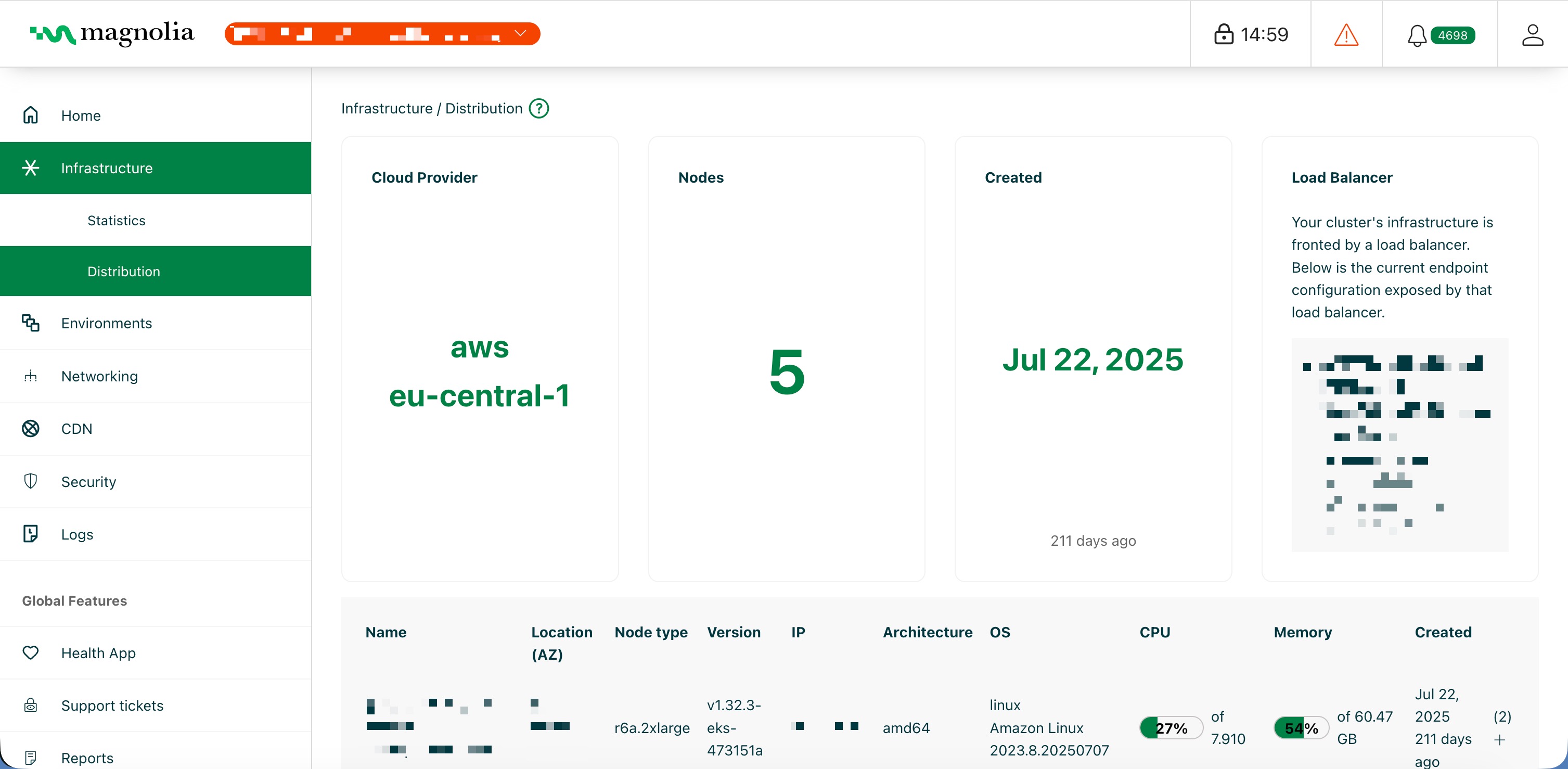
The Infrastructure Distribution section in the Cockpit displays information about the clusters you have available in your DX Cloud setup. There are typically production and integration clusters at a minimum, but each setup is different.
Select desired cluster
Select your desired cluster from the dropdown menu at the top of the Cockpit.

What info is displayed?
The overview displays the following information:
- Cloud provider (such as
rkestanding for Rancher Kubernetes) - Number of nodes
- When the cluster was created
- The current endpoint exposed by the load balancer
There is also a table that shows detailed node information such as:
- Name (the name of the node)
- Location of the node
- Node type
- Version
- External IP
- Architecture
- Operating System (OS)
- CPU usage in percentage
- Memory usage in percentage
- When the node was created