

Magnolia Audit logs
Magnolia Audit logs track content operations performed within your Magnolia instances. These logs record modifications to your JCR repository content, including creating, updating, moving, copying, and deleting nodes.
Key information tracked
- Actions: the operation performed (create, update, delete, move, copy)
- Identity: username performing the action
- Content location: workspace, node type, source path, and destination path
- Component: whether the action occurred on Author or Public instances
- Infrastructure: namespace, pod, and container where the operation was executed
- Timestamp: date and time when the action occurred
Select desired cluster
Select your desired cluster from the dropdown menu at the top of the Cockpit.

View Magnolia Audit logs
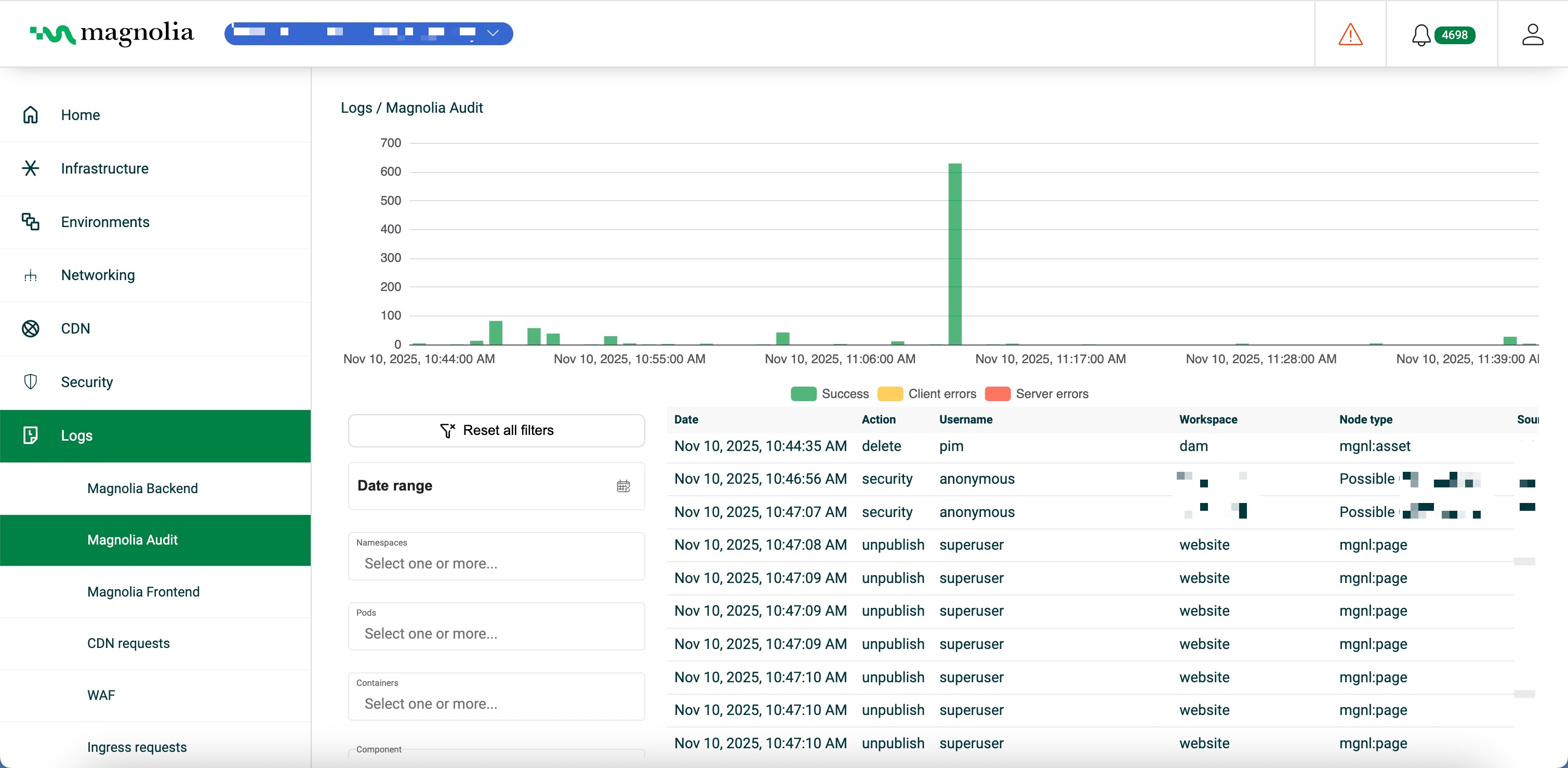
From Logs > Magnolia Audit:
- Select your desired cluster.
- View the chart to see content operation events over time.
- In Filters, set date range, operations, usernames, workspaces, node types, source/destination paths, components, namespaces, pods, and containers.
Details table
Click Download logs (CSV) to export the rows that match your current filters.
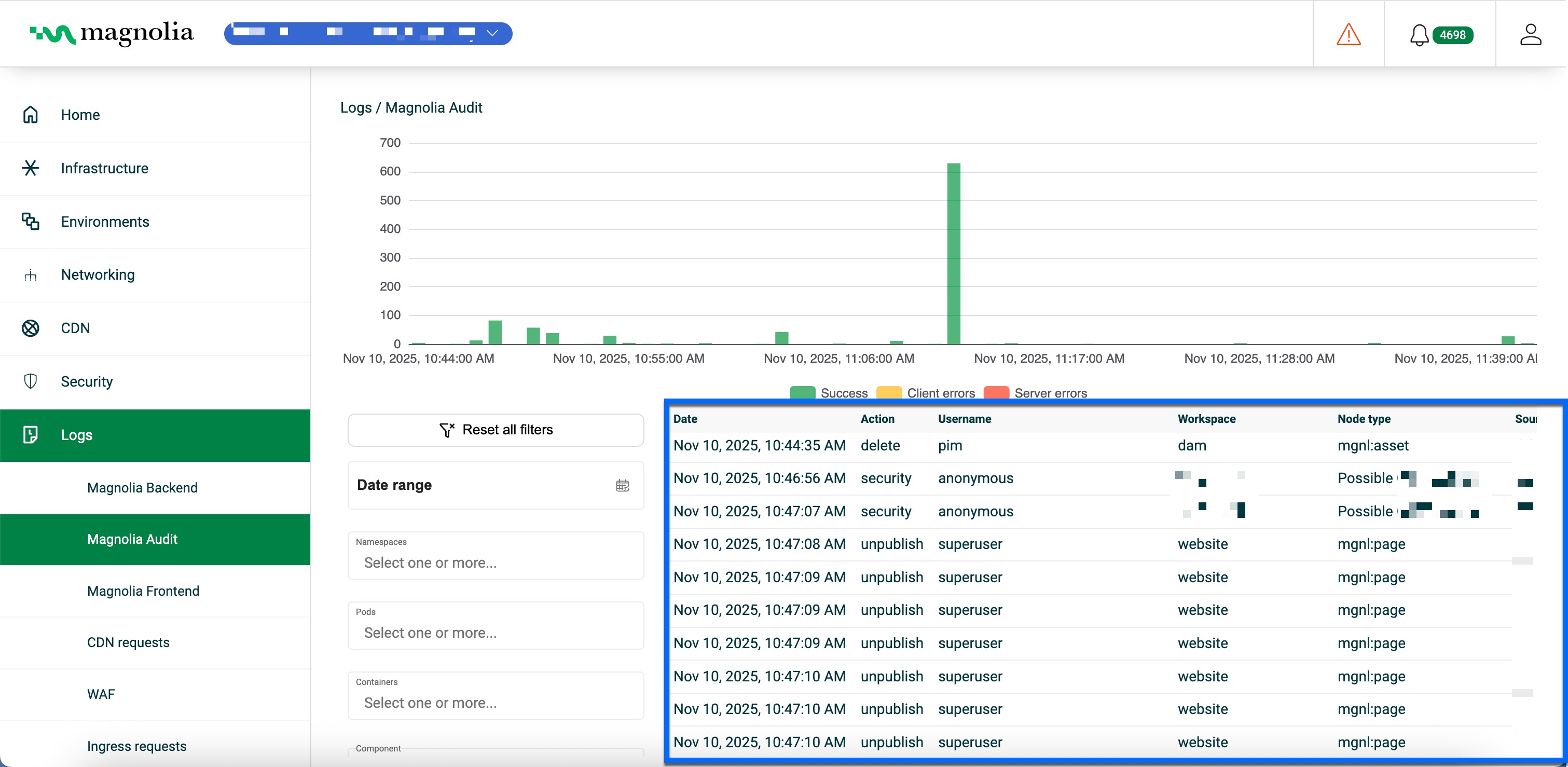
| Column | Description | Example |
|---|---|---|
| Date | Timestamp (ISO 8601, UTC) | Nov 10, 2026, 10:42:35 AM |
| Action | Content operation type | CREATE |
| Username | User who performed the action | superuser |
| Workspace | JCR workspace | website |
| Node type | JCR node type affected | mgnl:page |
| Source path | Original path (MOVE/COPY) | /travel/about |
| Destination path | Target path (MOVE/COPY) | /travel/about-us |
| Component | Magnolia component | AUTHOR |
| Namespace | Kubernetes namespace | staging |
| Pod | Kubernetes pod | staging-magnolia-helm-author-0 |
| Container | Container that handled the operation | author-instance |