

WAF request logs
WAF request logs capture HTTP requests blocked by your Web Application Firewall rules. Use these logs to investigate security events, identify attack patterns, and validate WAF configuration.
Because only blocked requests are shown, this view helps you focus on potentially malicious traffic.
Tag badges are color-coded by WAF signal category.
For WAF defaults and tuning, see Web Application Firewall (WAF) in DX Cloud Operations.
Key information tracked
- Request details: HTTP method, protocol, host, path, query parameters, client IP
- Response status: HTTP status code for the blocked request
- Security metadata: WAF agent code, zone, and classification tags
- Client context: user agent string
Select desired cluster
Select your desired cluster from the dropdown menu at the top of the Cockpit.

View WAF request logs
From Logs > WAF requests:
- Select your desired cluster.
- View the chart to see blocked request activity over time.
- In Filters, set date range, request details (method, protocol, hosts, IPs, paths, query parameters), response codes, security context (zones, tags), performance/size thresholds, user agent, and search terms.
- Click Apply filters.
When you Apply filters, the selection persists: if you reload the page, you see the same filter selection.
It also ensures you can share the selection and the recipient sees the same view as you do.
Example
https://cockpit.magnolia-platform.com/logs/events?from=2026-03-06T16:25:31.842Z&to=2026-03-06T17:25:31.842Z&In this case, the URL shows event logs for the last hour on the selected date.
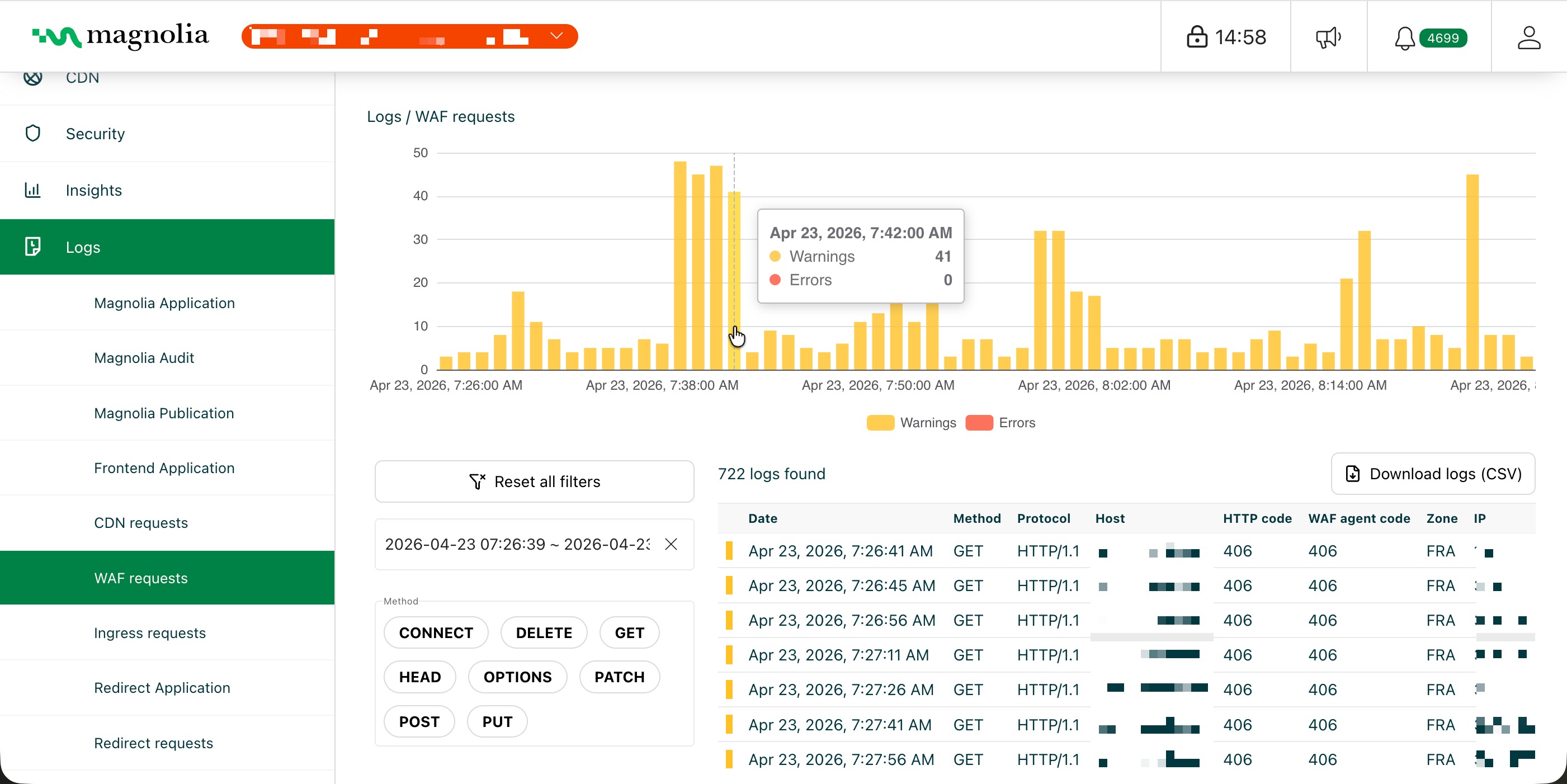
Details table
Click Download logs (CSV) to export the rows that match your current filters.
| Column | Description | Example |
|---|---|---|
| Date | Timestamp when the blocked request was recorded | Feb 12, 2026, 3:12:24 PM |
| Method | HTTP method | GET |
| Protocol | HTTP protocol version | HTTP/2 |
| Host | Hostname that received the request | api.example.com |
| HTTP code | Response status code | 403 |
| WAF agent code | WAF rule/classification code | 942100 |
| Zone | WAF security zone | public-zone |
| IP | Client IP address | 203.0.113.10 |
| Path | URL path | /login |
| Tags | WAF signal badges (color-coded by category) | suspected-bot, datacenter |
Open a log row to see the full request, including the user agent.
Where a user agent appears, you can open its details in the Cockpit. The result is a decoded view of the client, such as device and browser class, along with related signals that can help you tell typical browsers from automated or unusual traffic.