

Segmented caching
Segmented caching breaks up large files or objects into smaller segments and caches each segment separately, helping optimize content delivery.
Why is this useful?
Use segmented caching for resources larger than 20 MB to prevent 503 Service unavailable errors for large resource requests.
Imagine you have a large video file. Instead of caching the entire video as one chunk, segmented caching breaks it into smaller pieces so the CDN caches each segment separately. If a user only watches part of a video, the CDN only fetches and delivers the watched segment rather than the whole file.
Select desired cluster
Select your desired cluster from the dropdown menu at the top of the Cockpit.

Apply segmented caching
View from the Cockpit
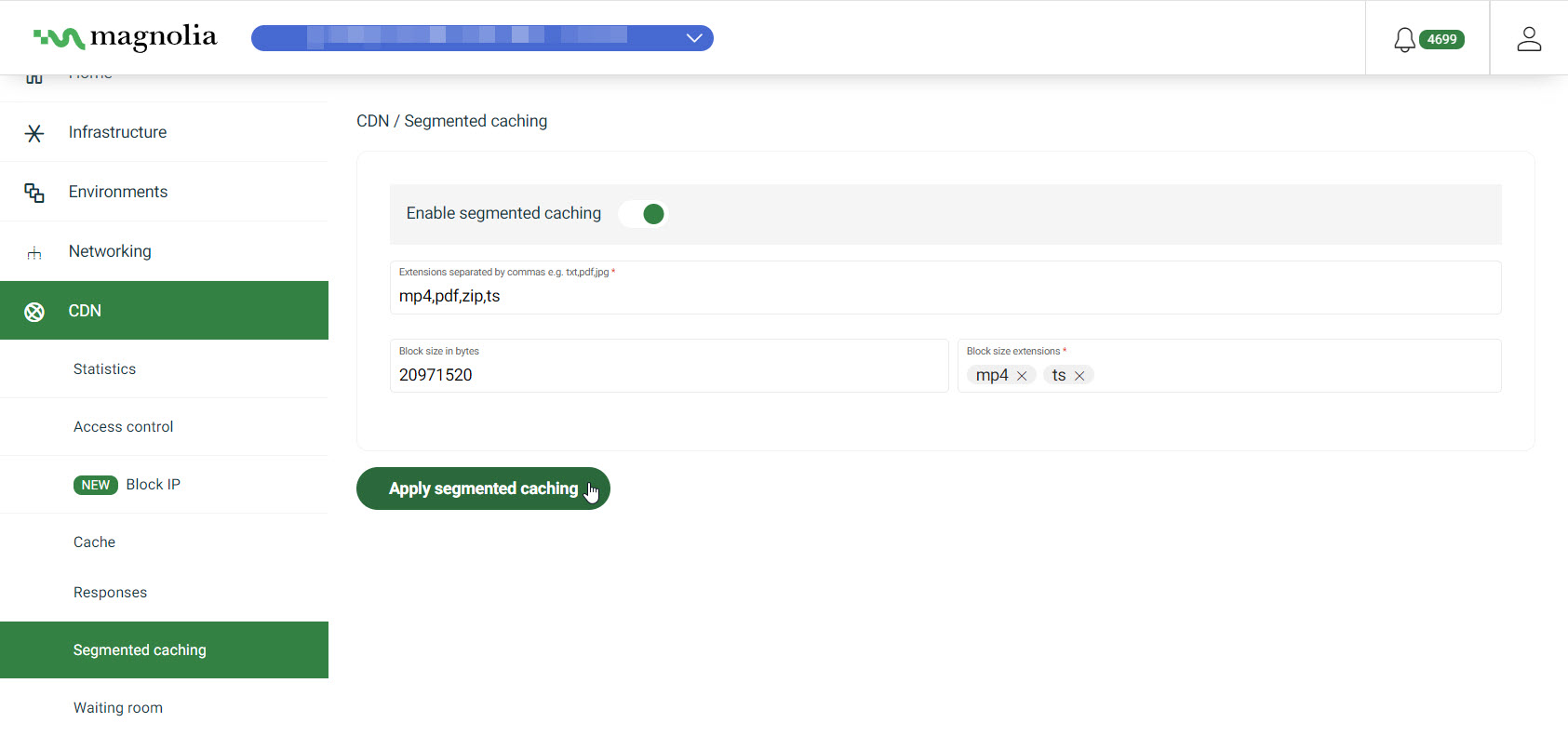
-
Go to CDN > Segmented caching.
-
Ensure segmented caching is enabled by toggling it on.
-
Specify the file extensions where you want the cache segmented.
-
Optionally specify the segment size in Block size in bytes.
This defines the size of each segment.
-
Optionally specify which file extensions the block size applies to.
-
Click Apply segmented caching.